
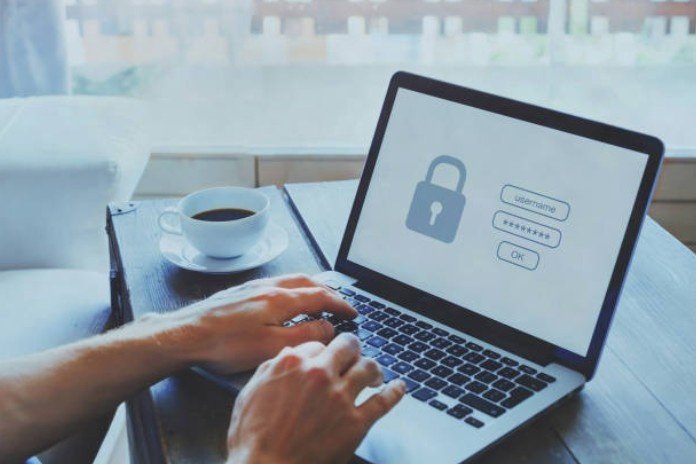
There was a time when I thought my password was just a nuisance to type in before I could get to the good stuff online. Little did I know, it was the unsung hero keeping my digital life secure. Fast forward a few years, and I’ve learned just how critical a strong password is. You might have the same “set it and forget it” approach to your passwords, but trust me, understanding how passwords protect data is worth the time.
Whether you’re banking online, shopping, or just browsing, your personal data is at risk. But with the right password protection, you can safeguard your information from hackers and unauthorized access. Let’s break down the mechanisms that make passwords so crucial in protecting our data.
What Do Passwords Do to Protect Data?
Passwords are more than just roadblocks on the path to your social media profiles. They’re your first line of defense against unauthorized access to your sensitive data. But how do they actually protect you?
Authentication and Identification
When you log into any account, your password serves as a form of authentication. It’s like showing your ID at the door only those who know the correct password can enter. In simple terms, passwords verify that you’re the rightful user before granting access to specific files, accounts, or devices.
Without this simple but powerful step, anyone could log in and modify or access your private information, such as personal documents or bank records. Authentication ensures that only the right people are accessing the right data, making it an essential part of digital security.
Access Restriction
A password doesn’t just allow access; it also creates barriers. Without it, sensitive data like financial records, medical histories, or personal conversations would be vulnerable. Think of a password as a door lock to your house. Without the key (or password), nobody can get in.
Even if a hacker knows about your accounts, they won’t be able to access any information without the password. And that’s where passwords offer real, tangible protection by restricting unauthorized access to data, they keep your most valuable assets safe.
Decryption Keys
In many systems, passwords go a step further and act as or help generate a cryptographic key that “unlocks” encrypted data. When data is encrypted, it’s scrambled into a format called ciphertext, which is unreadable without the correct key. So, even if someone intercepts the data while it’s being transferred, they won’t be able to make sense of it.
In essence, a password can be the key to decrypting valuable information. Without it, all that encrypted data is effectively locked away.
How Are Passwords Secured?
Okay, so now we know that passwords play a vital role in protecting data, but how do modern systems keep those passwords secure? The last thing you want is for your password to be easily cracked. Fortunately, modern security practices use clever methods to protect your passwords from being easily guessed or stolen.
Hashing: Making Passwords Unreadable
When you enter a password on most websites, the system doesn’t actually store the password itself. Instead, it stores a hashed version of it. Hashing is a one-way process where your password is converted into a long string of characters (the “hash”). This hash is unique to your password, and it’s practically impossible to reverse-engineer it back into the original password.
When you log in, the system hashes your input and compares it to the stored hash. If they match, you’re granted access. This means that even if hackers gain access to the database, they won’t be able to retrieve your actual password, just the hash, which is useless on its own.
Salting: Adding Extra Protection
Salting is a technique used alongside hashing to add even more protection to passwords. Essentially, a random value (the salt) is added to the password before it gets hashed. The salt ensures that even if two users have the same password, their hashes will be different. This extra layer makes it much harder for hackers to use pre-calculated tables to crack passwords, a technique known as a “rainbow table attack.”
By adding salt to the equation, the system ensures that even if your password is a common one, like “password123,” the hash stored in the database will still be unique, preventing hackers from easily cracking multiple accounts at once.
Strengthening Data Protection: What You Can Do
Now that you understand the basics of how passwords protect data, let’s take it up a notch. Here are a few ways you can ensure your passwords are doing their job properly.
Multi-Factor Authentication (MFA)
Even if you have the strongest password in the world, it’s still vulnerable to being stolen through phishing attacks or data breaches. That’s where Multi-Factor Authentication (MFA) comes in.
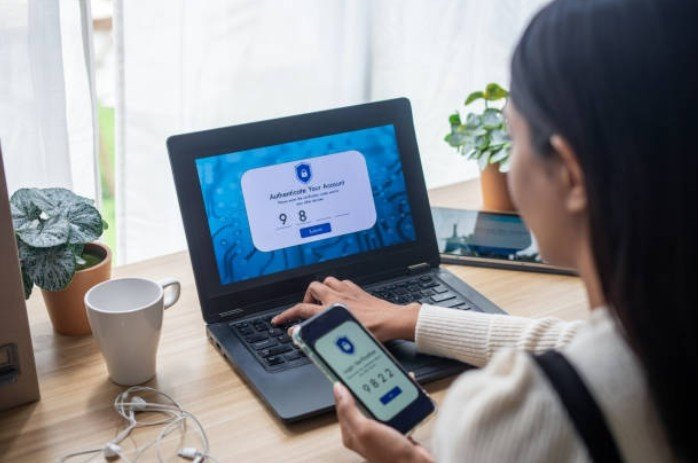
MFA adds a second layer of security, often through a code sent to your phone, email, or an app. Even if someone gets hold of your password, they still need the second factor to access your data. This extra layer of protection makes it far more difficult for hackers to break in.
Password Managers: The Key to Complex, Secure Passwords
Using a password manager is one of the best ways to keep your data secure. These tools generate, store, and encrypt your passwords, so you don’t have to remember every password for every account. With a password manager, you can create long, complex passwords that are nearly impossible for hackers to crack, without worrying about forgetting them.
Plus, since password managers store passwords in an encrypted vault, they add an additional layer of protection against data breaches.
Complexity and Length: The Longer, the Better
The best defense against password cracking is complexity and length. A password that’s at least 12–15 characters long, using a combination of upper and lowercase letters, numbers, and symbols, will dramatically increase the time and computing power needed to crack it.
By making your passwords longer and more varied, you create more possible combinations, making it exponentially harder for hackers to brute-force their way in.
Frequently Asked Questions
1. How often should I change my passwords?
Changing passwords regularly is a good practice, especially if you suspect a breach. Aim for every 3–6 months. If you use the same password for multiple accounts, it’s time to change them all at once!
2. Are password managers safe to use?
Yes, password managers are generally safe. They encrypt your data with high-level encryption, so even if someone gains access to the vault, they can’t read your passwords. Just be sure to choose a reputable password manager and use a strong master password.
3. How can I know if my password has been breached?
Use a service like Have I Been Pwned to check if your password or email has been involved in a data breach. If it has, change your password immediately, and enable MFA wherever possible.
4. What’s the best way to create a strong password?
The best passwords are long (12–15 characters or more), include a mix of letters, numbers, and symbols, and avoid using personal information like names or birthdays. Use a password manager to generate and store complex passwords.
Passwords: The Unsung Heroes of Data Protection
passwords may seem like a hassle, but they’re the unsung heroes protecting your personal data every day. When used correctly and with a few added security measures, passwords keep your accounts, devices, and personal information safe from hackers and malicious actors.
Remember, strong passwords are just one piece of the puzzle, but they’re an essential one. Stay proactive, use multi-factor authentication, password managers, and strong, unique passwords. Your data will thank you for it!
Pro Tip: Always keep your password manager and recovery information updated so you can stay ahead of any potential security issues.
In the end, understanding how passwords protect data is a critical step in securing your online presence. By following best practices and keeping your passwords strong, you’re creating a solid defense against cyber threats.