
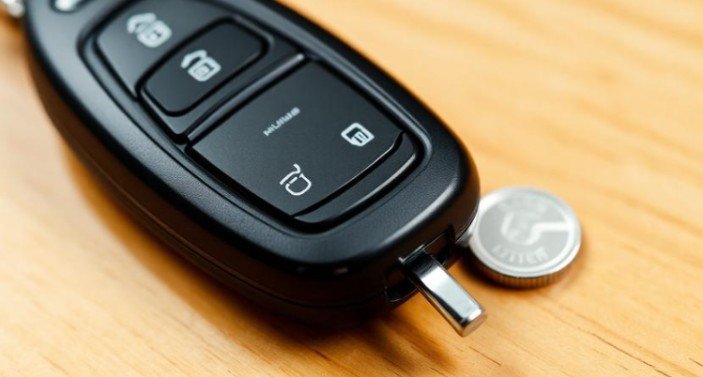
If your car suddenly stops responding to the remote, you are probably wondering how to replace the battery in a key fob quickly and safely. A weak or dead battery can prevent your car from unlocking, locking, or even starting if you use a push-button ignition system.
The good news is that key fob battery replacement is one of the easiest car maintenance tasks you can do yourself. It usually takes less than five minutes and costs under $10.
Replace battery in key fob
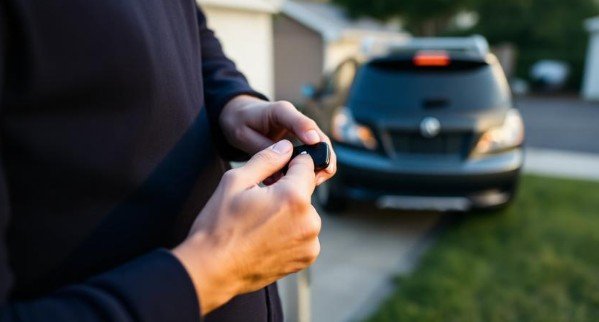
Modern key fobs make driving more convenient. With just one press, you can unlock doors, open the trunk, or start the engine. When the battery begins to fail, these features may stop working without warning.
Before assuming your key fob is broken, replacing the battery should always be the first step.
We have worked with many basic vehicle maintenance procedures, and replacing a car key fob battery is one of the simplest. You do not need advanced tools or technical skills. You only need the correct battery and a careful approach.
Signs Your Key Fob Battery Needs Replacing
Most key fob batteries last between two and four years depending on usage. However, several warning signs indicate the battery is running low.
You may notice reduced range, meaning you must stand closer to the vehicle for the remote to function. Sometimes the doors unlock only after pressing the button multiple times. Push-button start vehicles may display a “Key Not Detected” message on the dashboard.
If these issues appear, replacing the car key fob battery is usually the solution.
What Battery Does a Key Fob Use?
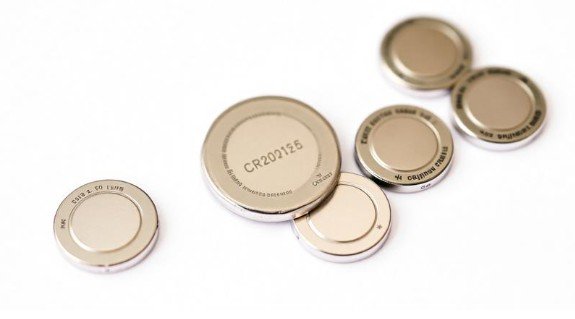
Most key fobs rely on lithium coin cell batteries such as CR2032, CR2025, or CR2450. The battery type is usually printed on the old battery or inside the fob casing.
Before installing a replacement, verify the correct model number. Using the wrong size may prevent proper contact with the terminals. Lithium ion batteries should be handled and disposed of carefully.
Safety guidelines regarding battery handling and fire prevention can be reviewed through the National Fire Protection Association. Following proper disposal practices reduces environmental and safety risks.
Tools You Will Need
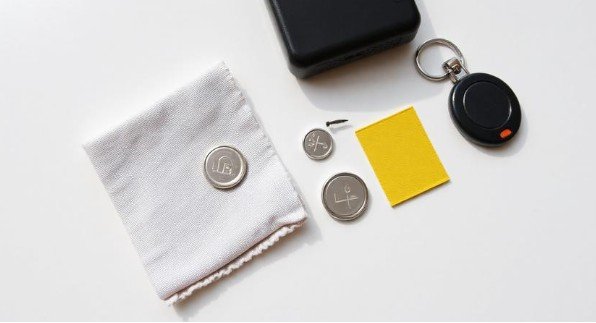
You do not need specialized equipment for key fob battery replacement. In most cases, you will need:
- A small flat-head screwdriver or plastic pry tool
- A replacement battery
- A clean and flat workspace
- A soft cloth to protect the fob casing
A plastic pry tool is safer than metal because it reduces the risk of damaging internal components.
Step-by-Step Guide to Replace Key Fob Battery
Follow these instructions carefully to avoid damage.
Step 1: Remove the Mechanical Key
Many fobs include a hidden emergency key. Press the release button and slide the key out. This usually reveals the seam needed to open the casing.
Place the key somewhere safe while you work.
Step 2: Open the Key Fob
Locate the small notch or seam along the edge of the fob. Insert your pry tool gently and twist slightly until the casing begins to separate.
Avoid forcing the plastic open. Excessive pressure may crack the shell or loosen internal clips.
Step 3: Remove the Old Battery
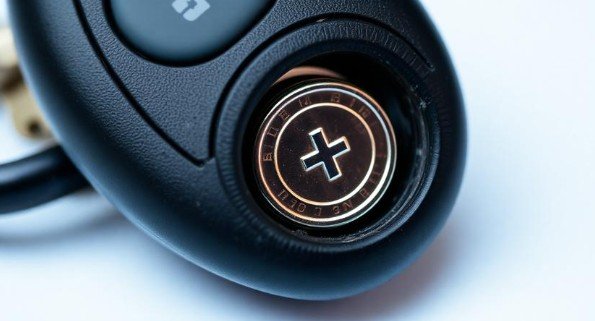
Observe the battery orientation before removing it. The positive side, marked with a plus symbol, typically faces upward.
Carefully lift the battery out using your fingernail or a non-metallic tool. Avoid touching the circuit board unnecessarily. Vehicle safety standards and electronic component handling information can also be referenced through the National Highway Traffic Safety Administration for broader automotive guidance.
Step 4: Insert the New Battery
Place the new battery into the holder in the same orientation as the old one. Ensure it sits securely and makes proper contact.
Installing the battery backward is a common mistake that prevents the fob from working.
Step 5: Reassemble and Test
Align both halves of the casing and press firmly until they snap together. Reinsert the mechanical key if applicable.
Stand near your vehicle and test all functions, including locking, unlocking, and remote start if available. In most cases, no reprogramming is required after a simple battery change.
How Much Does Key Fob Battery Replacement Cost?
Replacing the battery yourself typically costs between $3 and $10. Many auto parts stores may install it for a small service fee.
Dealerships, however, may charge significantly more, often ranging from $50 to $200 depending on inspection and labor fees. Learning how to replace the battery in a key fob helps you avoid unnecessary expenses.
When a Battery Replacement Is Not Enough
Sometimes the issue goes beyond a simple battery swap.
If your device continues to lose charge quickly, shut down unexpectedly, or overheat even after installing a new battery, the underlying problem may involve internal circuitry, charging components, or software-related power management system faults.
In such cases, it’s important to look at the broader picture instead of focusing only on the battery itself. Electrical wear, motherboard damage, or faulty charging ports can all mimic battery failure symptoms. Understanding how electronic systems manage energy can help you identify whether a deeper repair is needed.
Resources from the American Psychological Association can also be helpful when discussing stress or dependency related to excessive device usage, which often contributes indirectly to battery strain through prolonged charging cycles and overheating habits.
If professional diagnostics confirm hardware damage, replacing the device or repairing internal components may be the safer long-term solution rather than repeatedly changing batteries.
Common Mistakes to Avoid
Even though the process is simple, mistakes can lead to problems. Avoid the following:
- Using the wrong battery type
- Installing the battery in the wrong orientation
- Forcing the casing open
- Touching delicate circuit components
- Working on unstable surfaces
Taking a careful approach prevents accidental damage.
How Long Do Key Fob Batteries Last?
Under normal conditions, key fob batteries last two to four years. Heavy usage, extreme temperatures, and frequent remote start activation may shorten battery life.
If you rely heavily on your keyless entry system, consider keeping a spare battery available to avoid inconvenience.
Frequently Asked Questions
1.How long does it take to replace the battery in a key fob?
The entire process usually takes less than five minutes.
2.Do I need to reprogram my key fob after replacing the battery?
In most cases, reprogramming is not necessary.
3.What battery does most key fobs use?
CR2032 is the most common, but always confirm your specific model.
4.Can I drive if my key fob battery is dead?
Yes. Most fobs contain a hidden mechanical key for manual entry.
5.Why is my key fob still not working after replacing the battery?
Double-check battery orientation and compatibility. If issues persist, internal damage may be the cause.
Final verdict: replace the battery in a key fob
Now you understand how to replace the battery in a key fob safely and efficiently. This simple maintenance task can restore full remote functionality in just a few minutes without professional help.
With the correct battery, proper handling, and careful installation, you can avoid dealership fees and keep your key fob working reliably. If problems continue after replacement, consider professional inspection or a full fob replacement.